Set up my pricing
Pricing menu. This is where you create everything your clients can buy. Products are grouped into six families:
| Family | What it is |
|---|---|
| Courses | The price of a drop-in class, chosen when you create a class |
| Recharges | Om-Money packs to spend on booking classes |
| In-studio plan | A recurring payment that grants Om-Money each period for in-studio classes |
| Video plan | Recurring access to your online videos and programs |
| Videos | Selling a single video |
| Programs | Selling a single program |
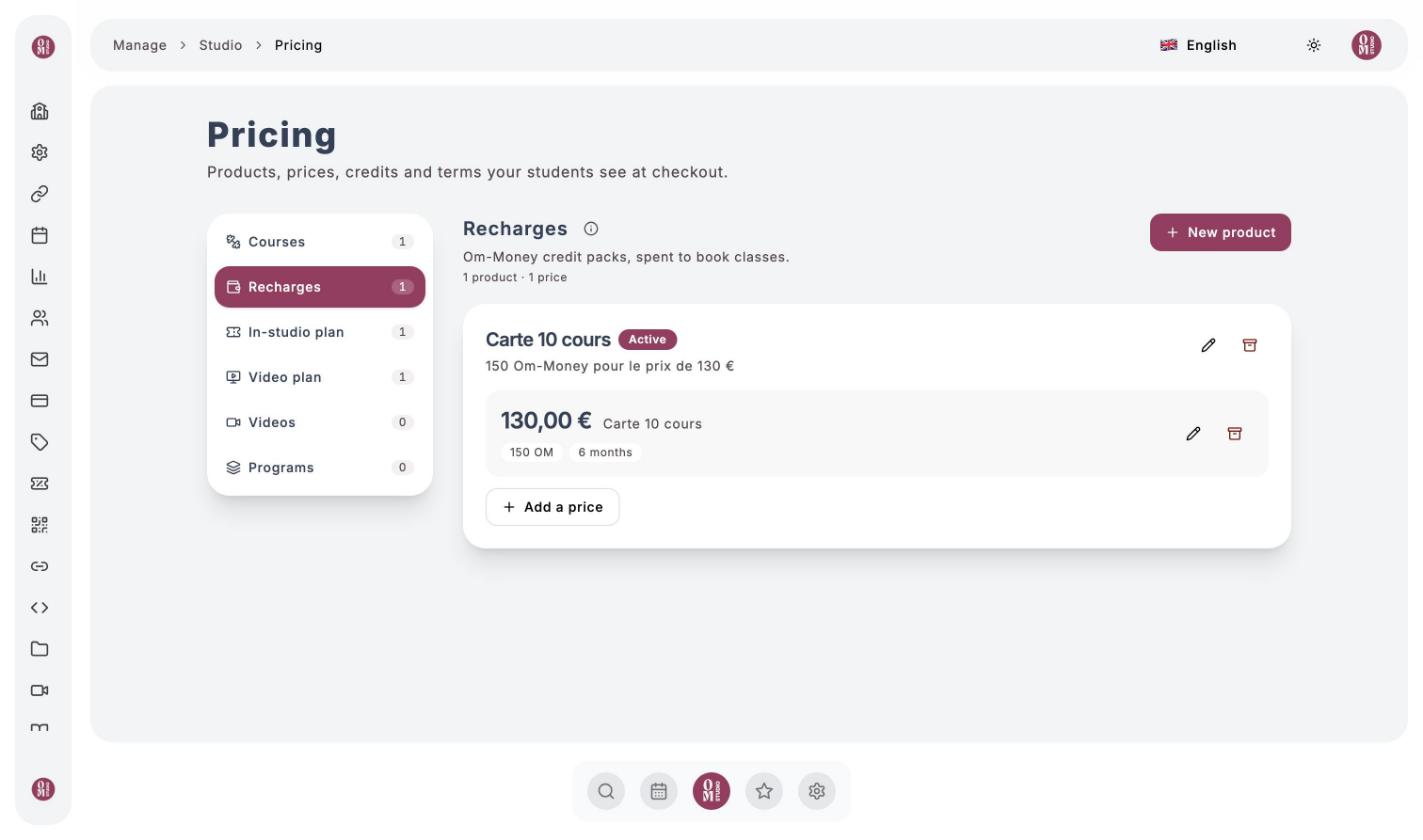
Create a product
Choose the family
Click the family on the left, then New product (or Create a product if the family is empty).
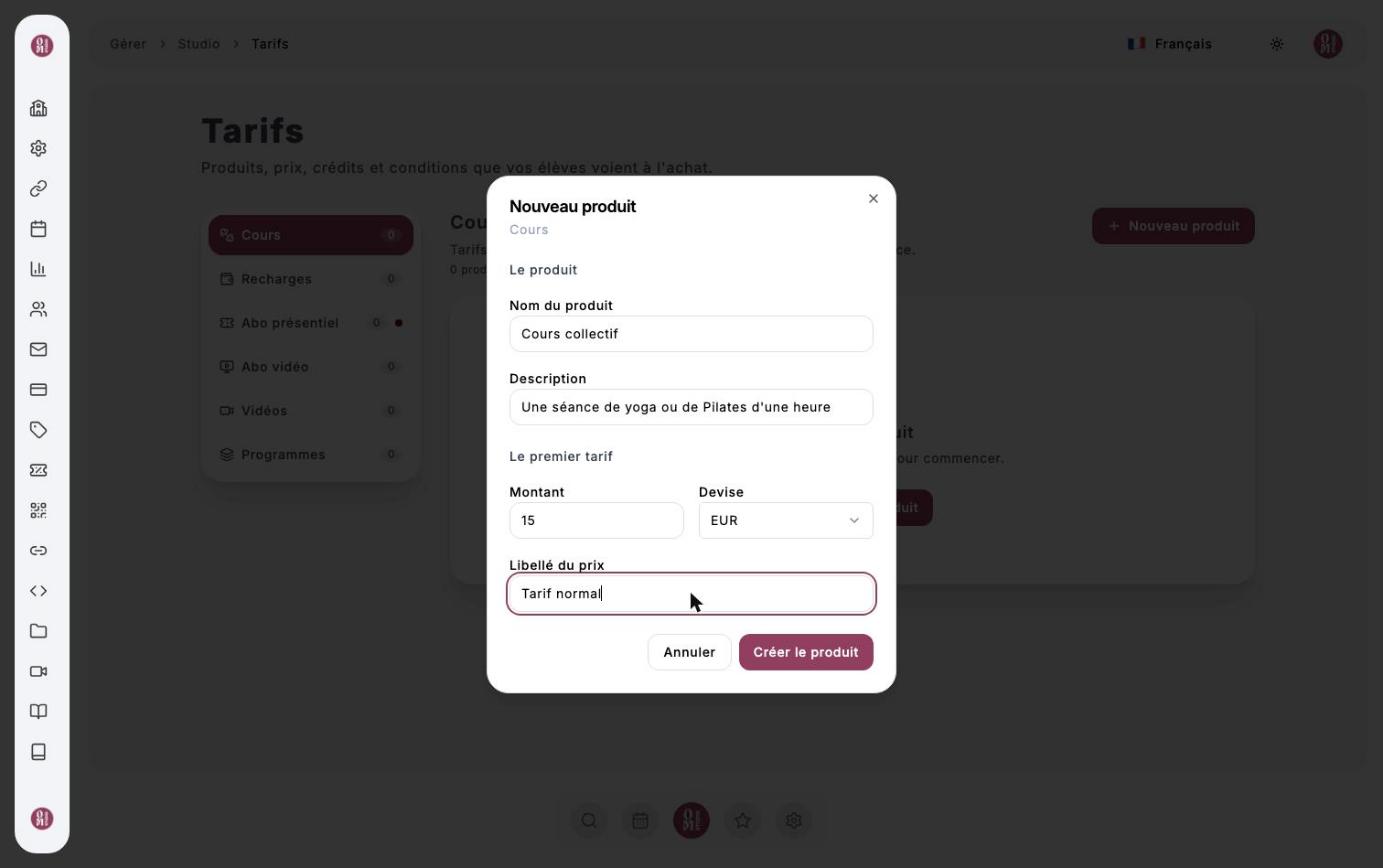
Name the product and set the first price
Enter the name, an optional description, the Amount, the currency and a Price label for this price (for example “Regular rate”). Click Create product.
Add more prices if needed
A product can have several prices (reduced rate, duo rate…): click Add a price.
Once a price is created, its amount and billing period can no longer change; you can still edit its label and options. To change the price, add a new price and archive the old one.
Om-Money recharges
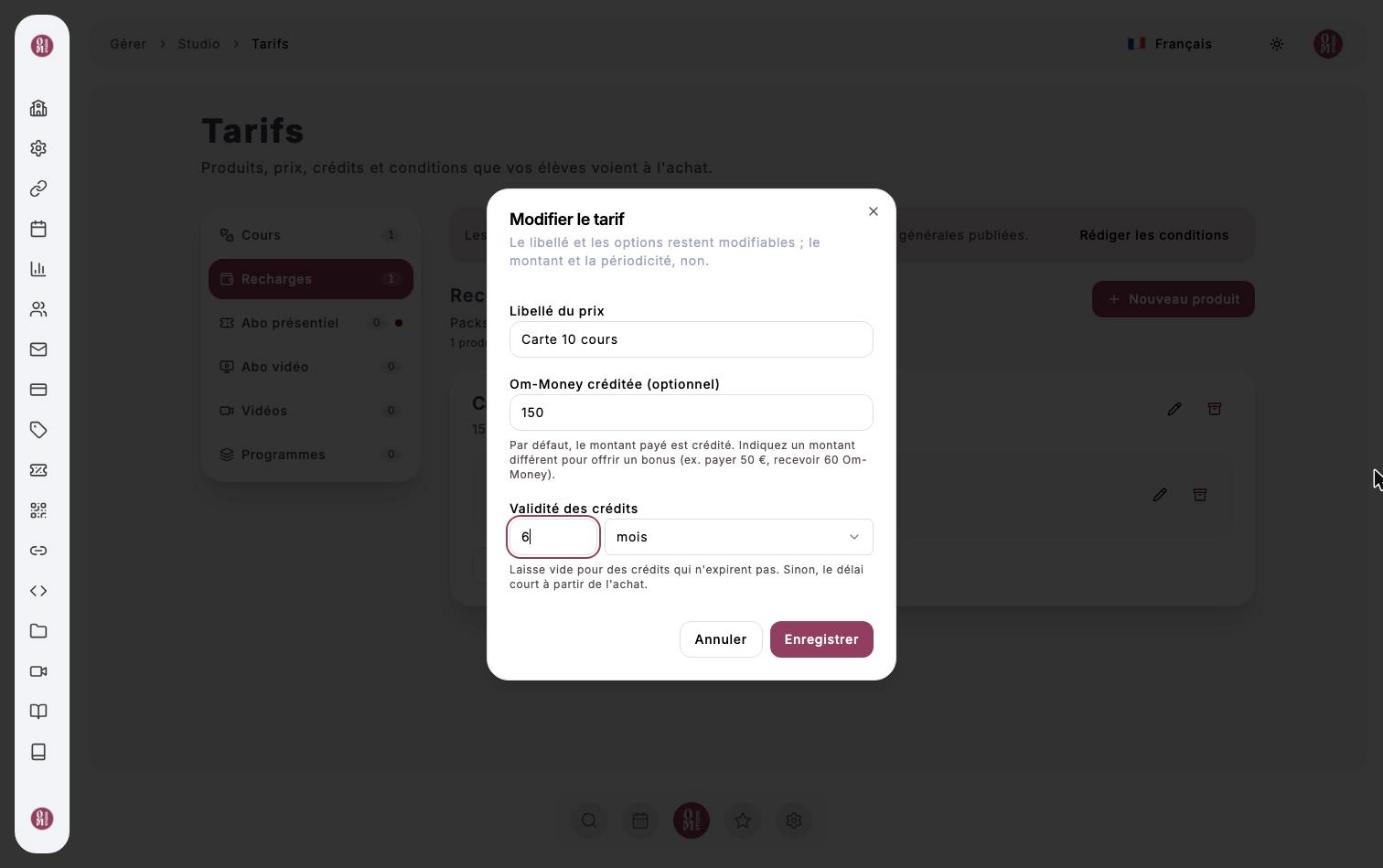
A recharge lets your clients pay in advance and then book in one click. After creating the product, click the price’s pencil icon to set:
- Om-Money credited: by default, the amount paid is credited. Enter a higher amount to offer a bonus (pay €130, receive 150 Om-Money);
- Credit validity: how long the credits can be used, counted from the purchase. Leave it empty for credits that never expire.
The in-studio membership
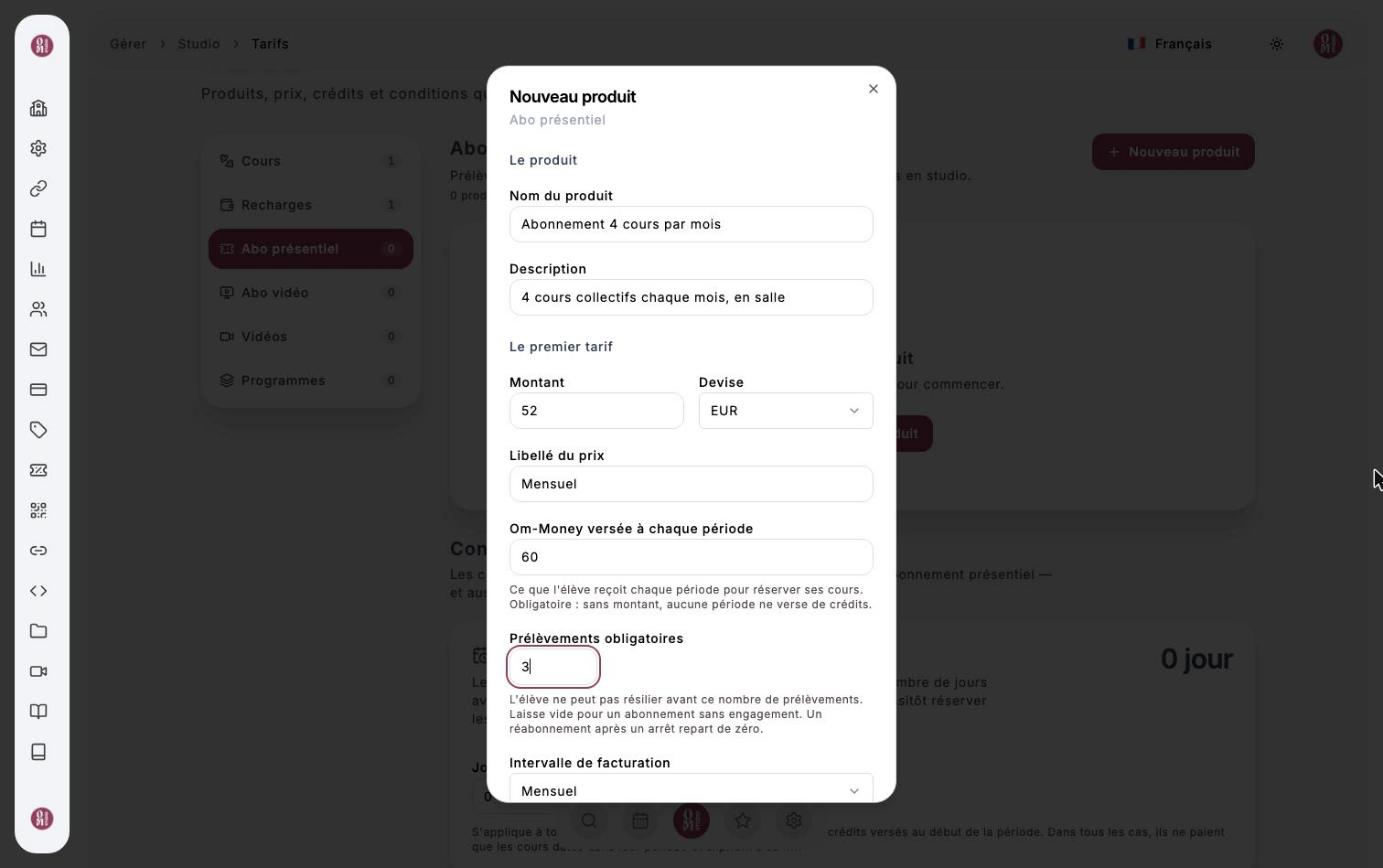
For your regulars: an automatic payment that grants Om-Money each period. When you create it, fill in:
- the Amount and the Billing interval (monthly…);
- the Om-Money paid out each period: required, it is what the client receives to book their classes;
- the Required payments: the minimum commitment. The client cannot cancel before this number of payments. Leave it empty for a membership with no commitment.
Below the list, Membership terms lets you grant each period’s credits a few Days in advance, so your members can book right away. In every case, these credits only pay for classes dated within their period and expire at its end.
Terms of sale
Recharges and in-studio memberships require published terms of sale. Write them in the Terms of sale section (In-studio plan tab), then click Publish. Your clients must accept them before paying and receive them as a PDF with their confirmation email. Each publication creates a new version; the previous one remains available to read.
The video plan, videos and programs
- Video plan: a recurring price (monthly…) that gives access to all your online content.
- Videos and Programs: a one-off price to sell a single piece of content. You then choose this price in the video’s or program’s form (see Online content).