Emails and newsletter
Emails menu. Write an email to your clients, to some of them or to the participants of a class, without leaving OmStudio. The page has four tabs: Éditeur (Editor), Groupes (Groups), Envoi (Send) and Désabonnés (Unsubscribed), plus access to Métriques (Metrics).
This screen is not translated into English yet; labels are shown as they appear in the app.
Write the email
In the Éditeur (Editor) tab, click Modifier (Edit). Build your email from blocks (logo, title, text, button, image, line) that you drag into the page. The Générer avec l’IA (Generate with AI) button helps you write: the AI rewords your email and lays it out, and you can then touch it up.
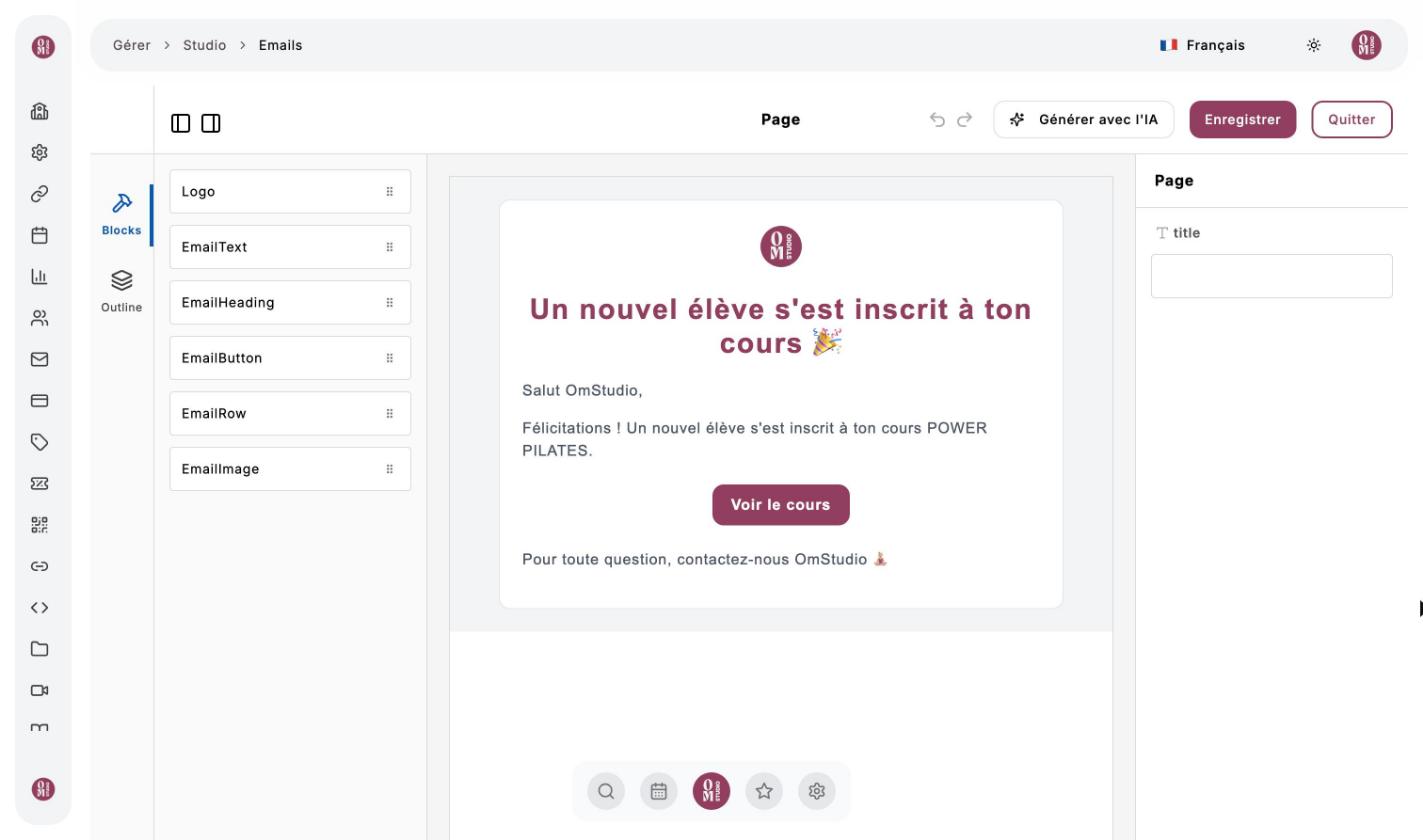
Sauvegarder (Save) keeps the email for later; Charger emails sauvegardés (Load saved emails) brings it back.
Send
Open the “Envoi” (Send) tab
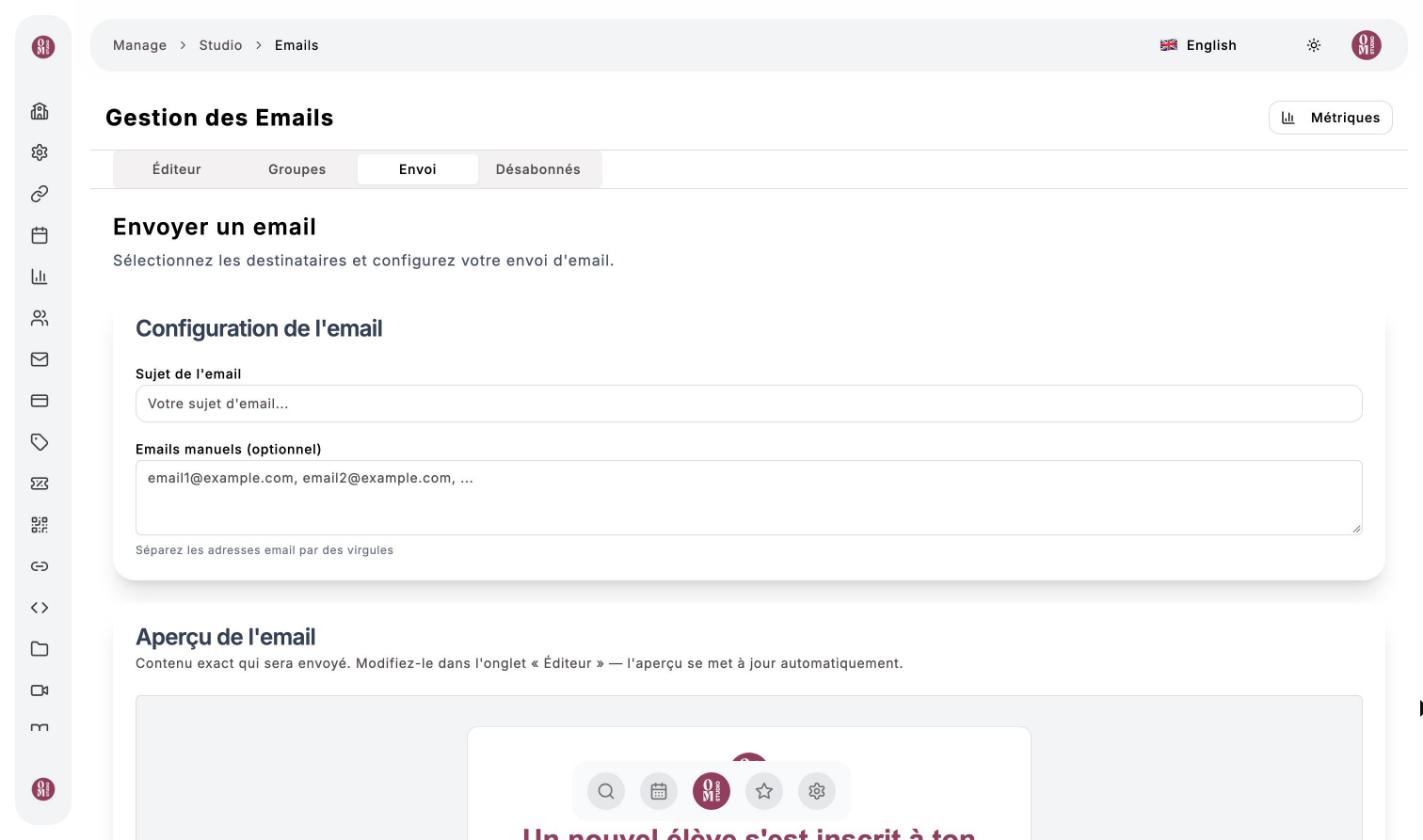
Set up the email
Enter the Sujet de l’email (email subject). You can add addresses by hand, separated by commas. The preview shows the exact email that will be sent: each person sees their own name in it.
Choose the recipients
All the studio’s clients, one or more clients, the participants of certain classes, or a group you have prepared in the Groupes (Groups) tab.
Newsletter or important message
Leave the Newsletter / email marketing box ticked for a newsletter: an unsubscribe link is added and people who have unsubscribed are left out. Untick it only for an important message that must reach everyone (a cancelled class, a change of room…).
Track your sends
The Métriques (Metrics) button shows, for each send, the emails sent, delivered, opened and clicked, the bounces and the complaints. The Désabonnés (Unsubscribed) tab lists the people who no longer want to receive your newsletters.
OmStudio also sends automatic emails to your clients: booking and cancellation confirmations, class moved or cancelled, purchase confirmation. They go out in the language each client has chosen.