My wallet and purchases
My wallet
Click your avatar at the top right, then Wallet. You can also click the Om-Money counter at the top right of a studio’s page.
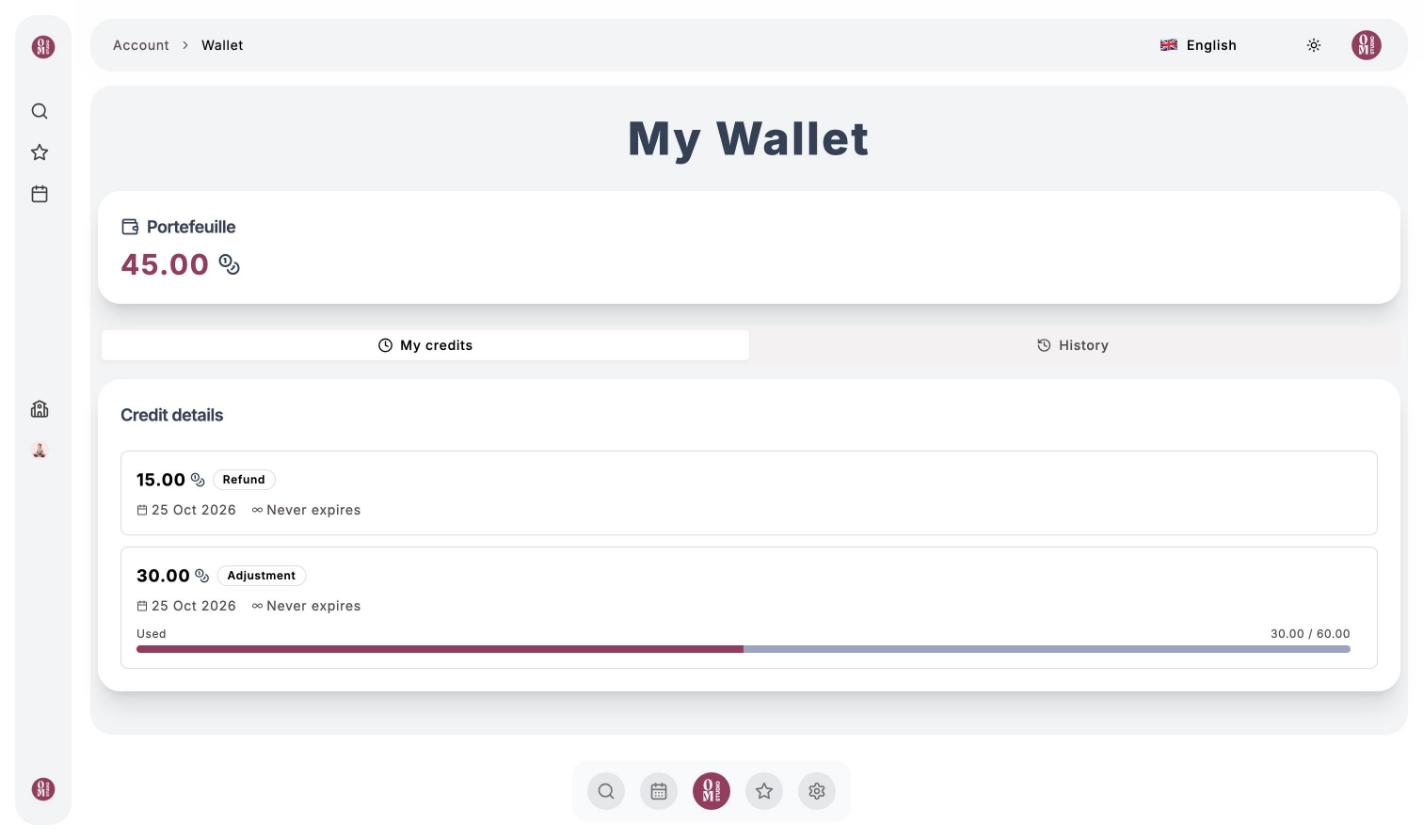
- My credits breaks down your Om-Money by batch: where it came from (top-up, membership, refund, studio credit), the date you received it, its expiry date and how much of it has already been used.
- History lists every transaction: purchases, bookings, cancellations, credits added by the studio.
⚠️
Each batch has its own expiry date, set by the studio. Credits not used by that date are lost, so remember to use them: the ones closest to expiring are used first.
My purchases and bookings
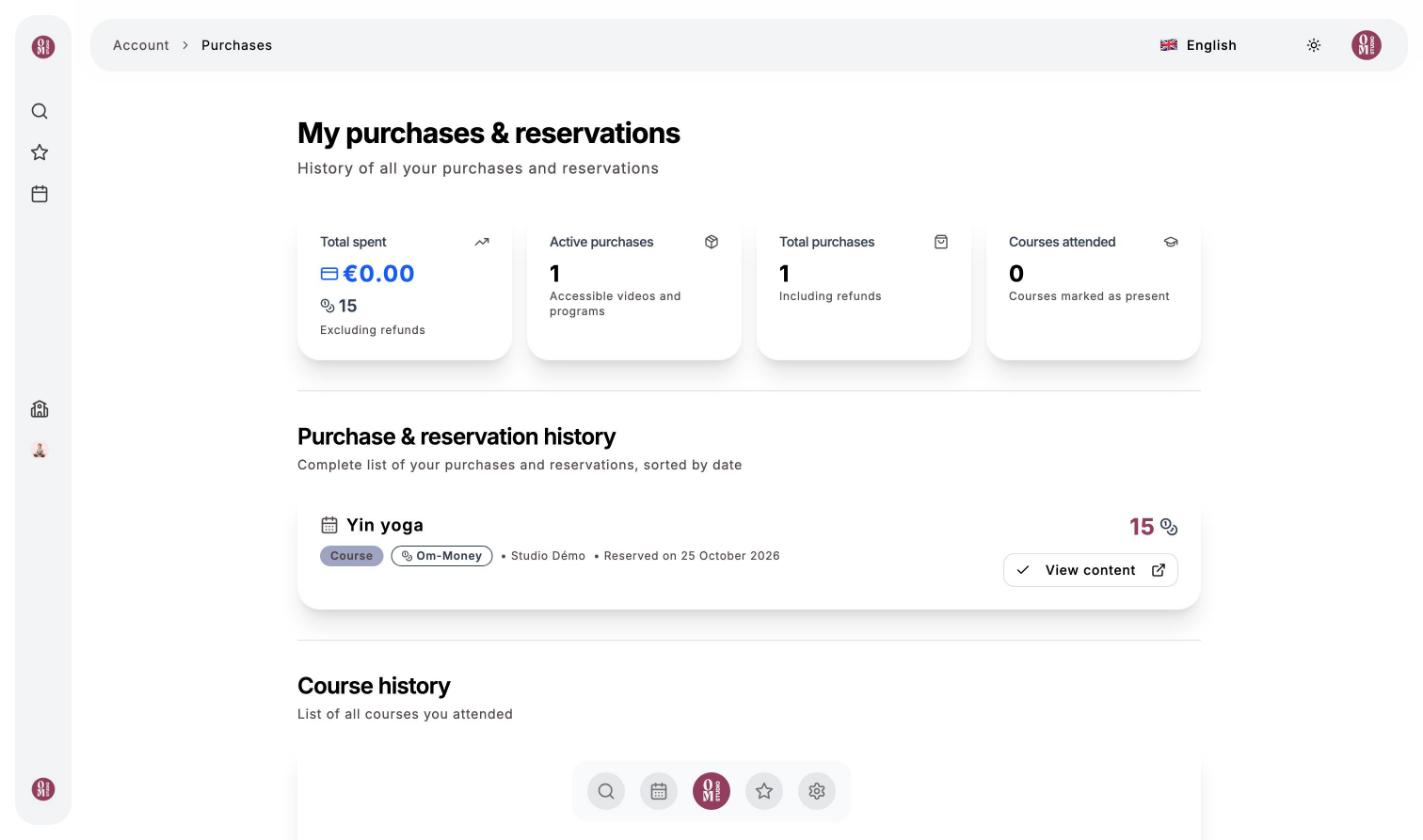
Click your avatar, then My purchases & reservations. There you’ll find:
- the total you’ve spent (by card and in Om-Money);
- the videos and programs you’ve bought, with a link to access them;
- the full history of your purchases and bookings, sorted by date;
- the history of the classes you’ve attended.
Last updated on