Cancel a booking
You can cancel a booking up to a certain time before the class. Each studio sets this deadline (for example 4 hours before).
Open your bookings
Click the calendar icon in the menu (My reservations).
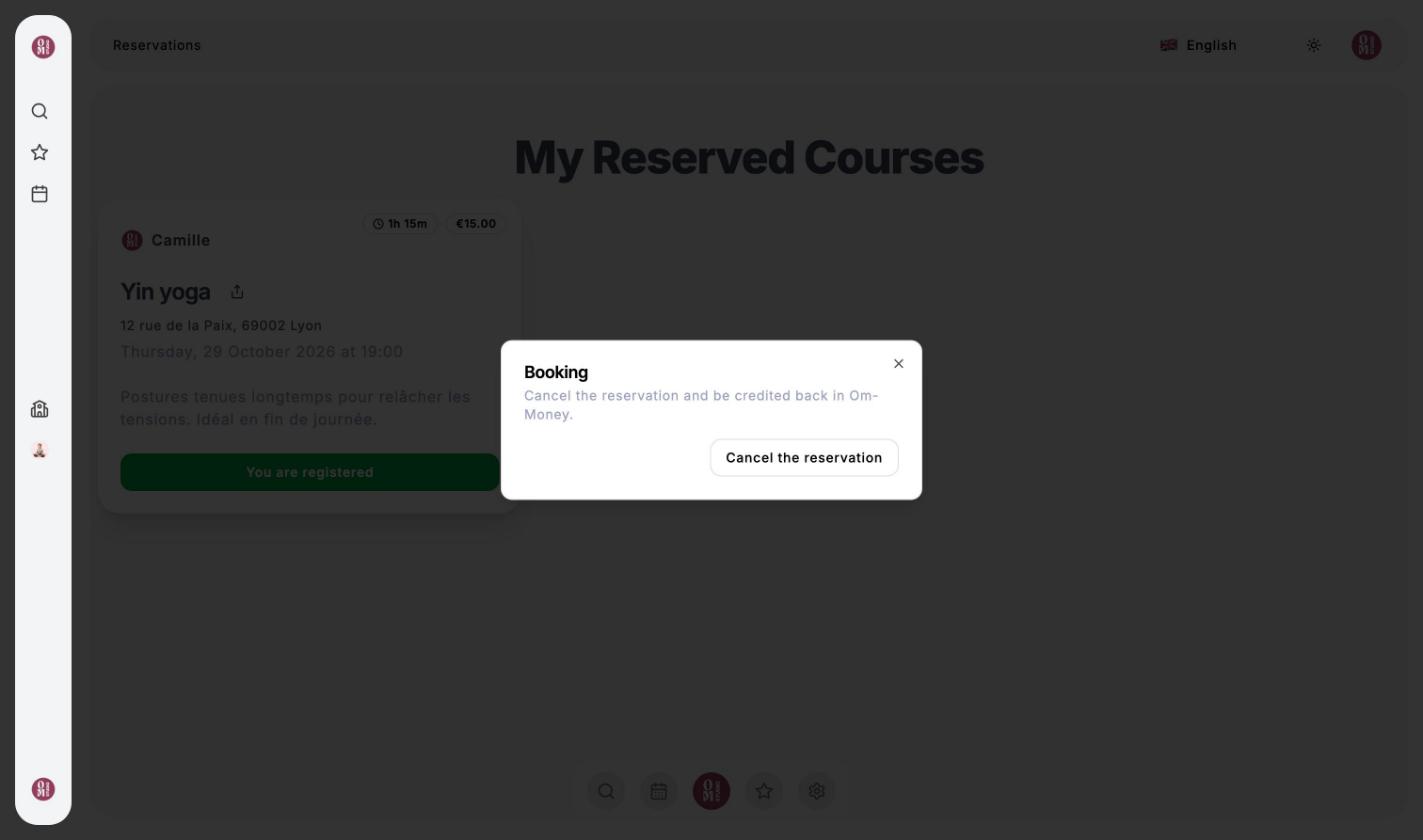
Click “You are registered”
On the class card, click the green You are registered button.
Confirm the cancellation
In the window that opens, click Cancel the reservation. You receive a confirmation email.
How am I refunded?
The price of the class is credited back in Om-Money to your wallet at the studio, whether you paid by card or with Om-Money. There is no refund to your bank card. You can use this Om-Money to book another class at the same studio.
Once the cancellation deadline has passed, you can no longer cancel from the app. If something unexpected comes up, contact the studio directly.
If the studio cancels the class
If the teacher cancels a class, all participants are notified by email and credited back in Om-Money. If a class’s time changes, you also receive an email with the new time.