Pay for a class
Each studio sets its own prices and chooses which payment methods it accepts. There are four ways to pay:
| Method | For | When it’s useful |
|---|---|---|
| Credit card | A class, a top-up, a subscription | To pay for a one-off class |
| Om-Money | Classes in the calendar | If you’ve bought a top-up or the studio has credited you |
| In-studio membership | Classes in the calendar | If you come regularly: you receive Om-Money every month |
| Video subscription | Online videos and programs | To take the studio’s online classes |
A studio’s offers are in the cart tab of its page.
Pay by card
In the Booking window, choose Credit card payment. You are sent to Stripe’s secure payment page, then back to OmStudio once the payment has gone through. Your spot is held while you pay.
Om-Money
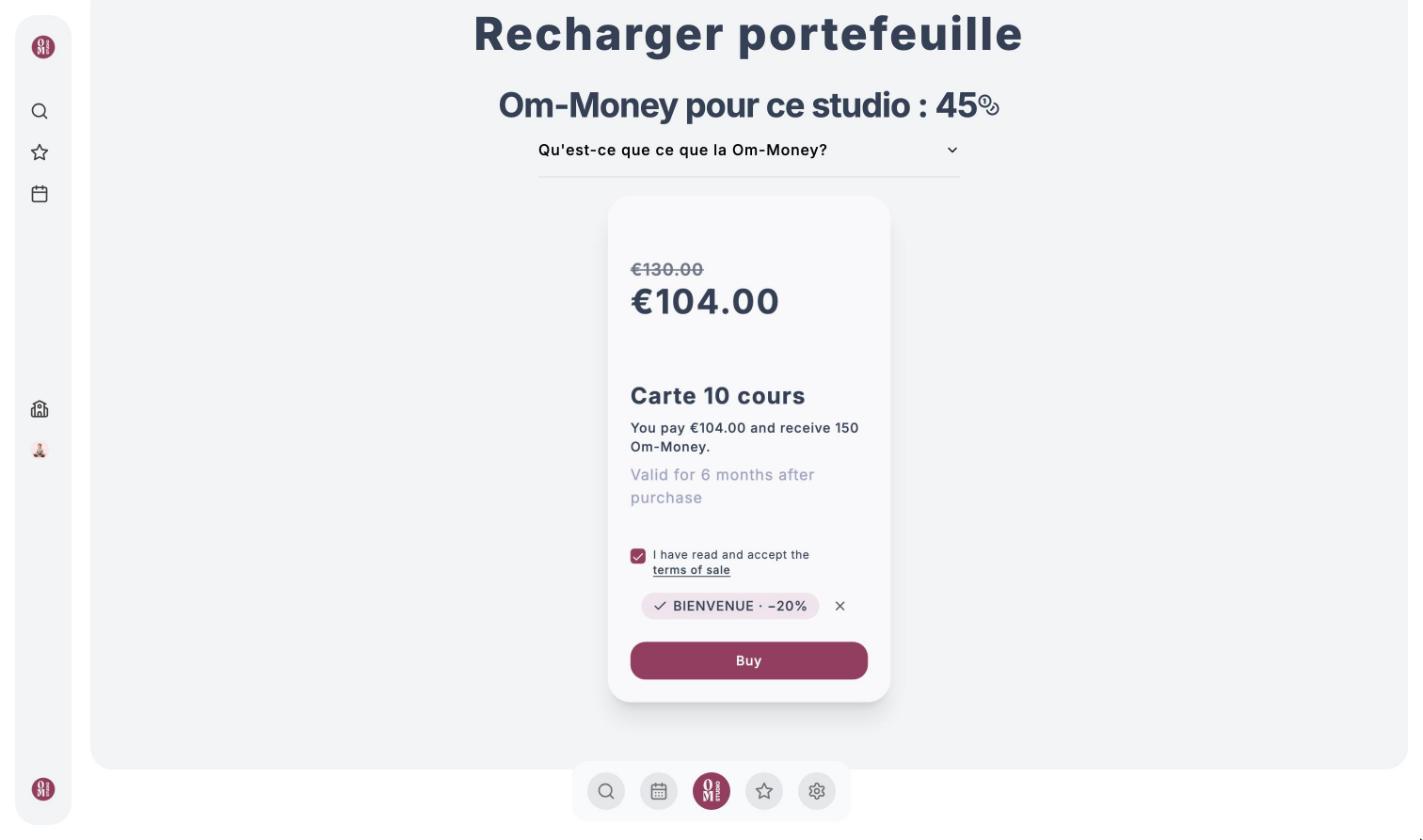
Om-Money is the studio’s currency: 1 Om-Money is worth €1. You get it by buying a top-up (often with a bonus, for example 150 Om-Money for €130), with an in-studio membership, or when the studio credits you (a class paid in cash, a goodwill gesture…).
A studio’s Om-Money can only be used at that studio. Your balance for the studio is shown at the top right of its page.
Buy a top-up
Open the studio’s offers
Click the cart icon on the studio’s page, then scroll down to Recharger portefeuille.
Choose a top-up
The card shows the price, the amount of Om-Money credited and how long it stays valid. Tick I have read and accept the terms of sale.
Pay
Click Buy and pay by card. The Om-Money is added to your wallet as soon as the payment is confirmed.
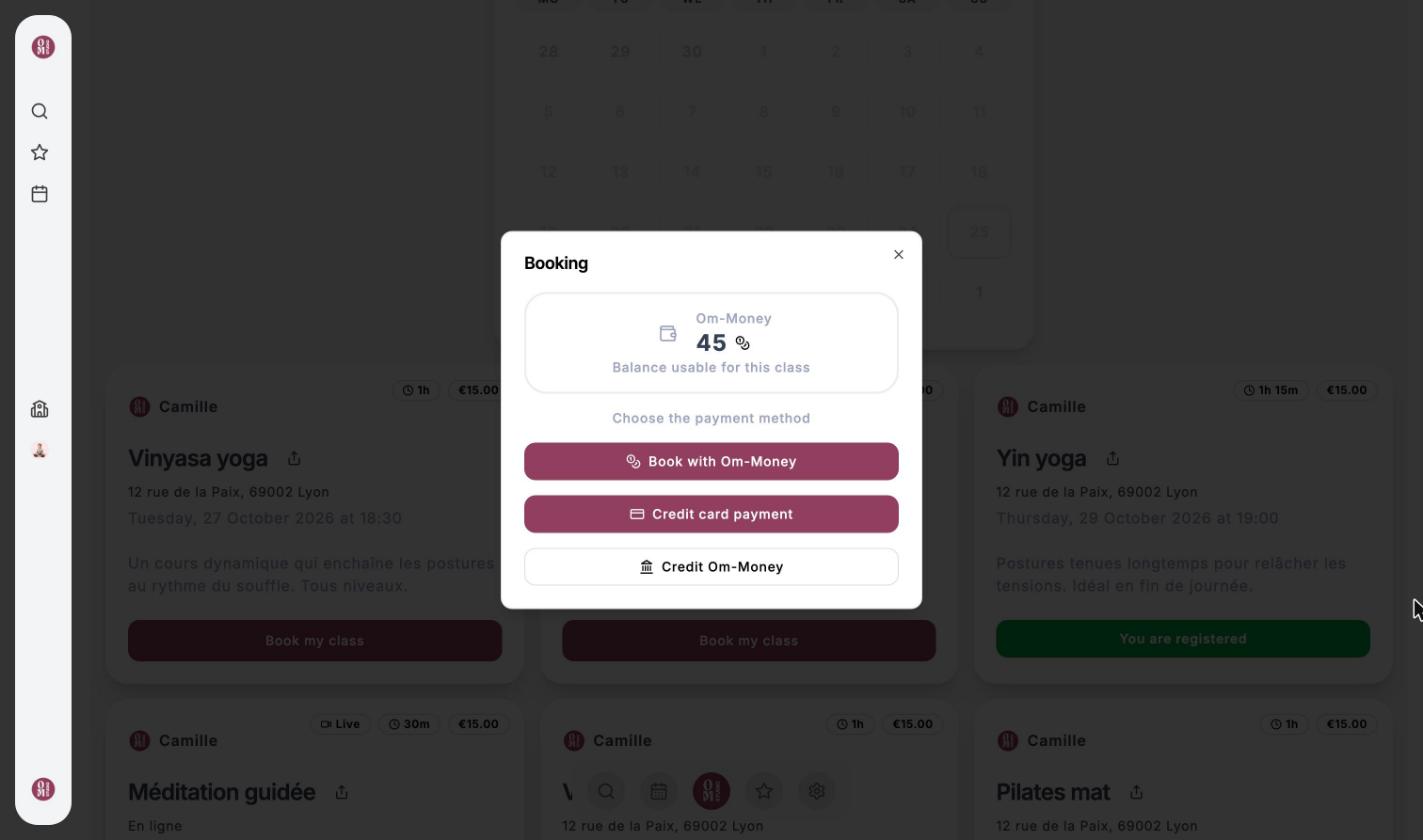
Book with your Om-Money
In the Booking window, click Book with Om-Money: the price of the class is taken from your balance. The credits that expire soonest are used first.
Use a promo code
If the studio has given you a code, click Add a promo code on the offer it applies to, then enter it (upper or lower case, it doesn’t matter). The new price shows up right away, with the code applied.
A code can be limited to new clients, to certain people, or to a period of time. If it isn’t valid for you, it’s refused before any payment.
In-studio membership
Some studios offer a membership for in-studio classes, usually monthly. Each period, you receive Om-Money to use during that period to book your classes.
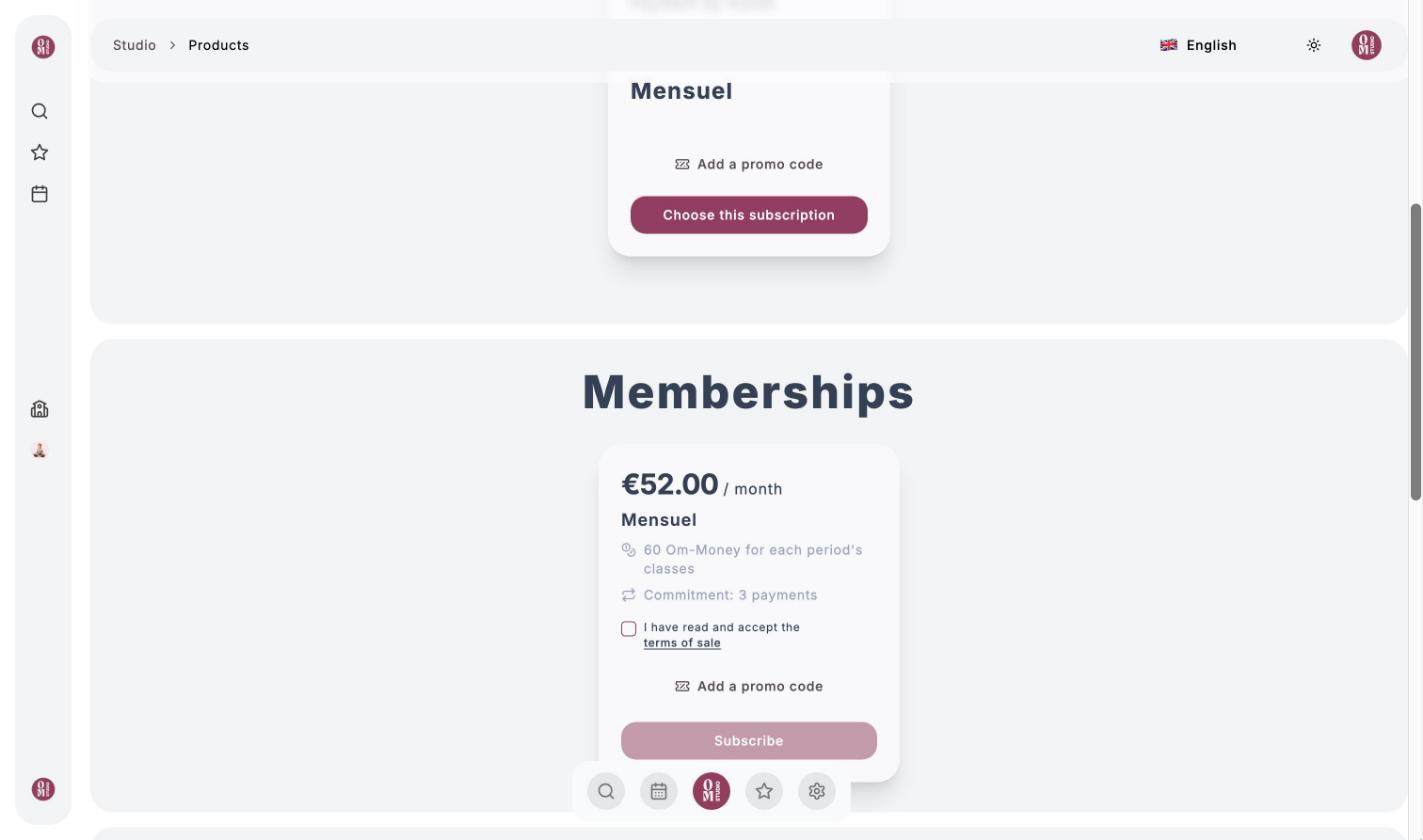
- The card shows the price, the amount of Om-Money granted each period and any commitment (minimum number of payments).
- Tick the terms of sale, then click Subscribe.
- Once you’ve subscribed, the My membership card shows the date of the next payment and the Cancel membership button. During the commitment, it shows the date from which you’ll be able to cancel.
- When you cancel, you keep your access and your credits until the end of the period you’ve already paid for, and no further payments are taken.
Om-Money from an in-studio membership can only be used for classes dated within the matching period, and expires at the end of it.
Video subscription
The video subscription gives you access to the studio’s online classes. On the offer, click Choose this subscription, then pay by card. To cancel it or change your card, go back to the offer and click Manage my subscription.
If the studio offers a trial period, it’s shown on the offer (for example “7 days free trial”).