Promo codes
Promo codes menu. Create codes such as WELCOME or FALL20 that your clients enter in OmStudio before paying. Each code is only valid at your studio, on the products you choose.
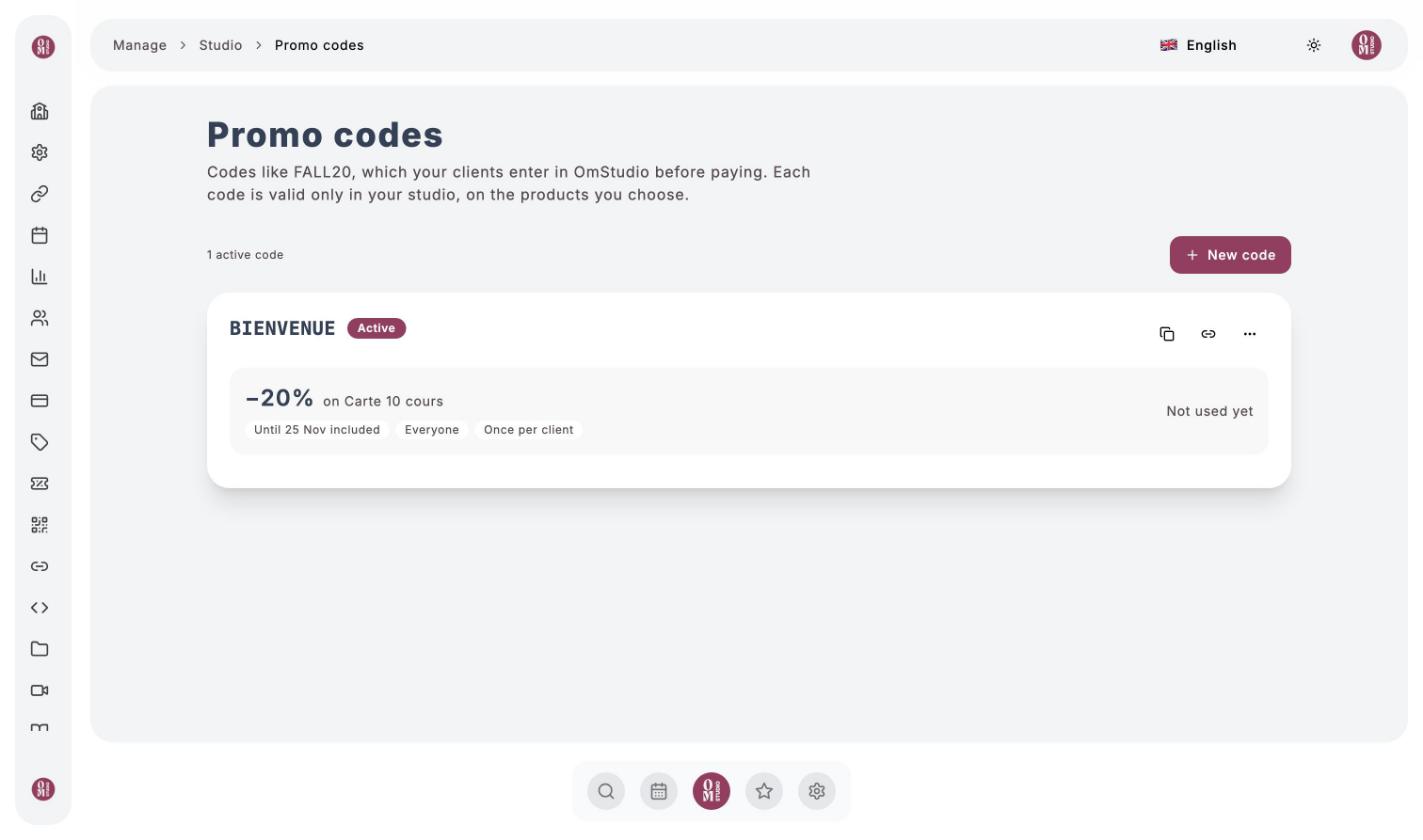
Create a code
Click “New code”
The code
Enter the Code to enter (3 to 20 letters, digits or hyphens; your clients can type it in upper or lower case) and, if you like, a Note for the team, never visible to clients.
The products
Tick the products concerned: classes, recharges, memberships, videos, programs. The code applies to every price of a product, including prices added later.
The discount
A Percentage or a Fixed amount. For classes, choose whether the discount applies to card payments, to Om-Money bookings, or to both. Limiting it to card payments avoids stacking the discount with a recharge that already includes a bonus.
Duration and audience
- Until when: 7, 15 or 30 days, a specific date, or no end date.
- Who can use it: everyone, A list of clients (anyone else will see the code refused), or First purchase at the studio (for new clients).
- Limits: once per client, and/or a total number of uses.
Check and create
The What your clients will see box shows the new prices. Click Create code.
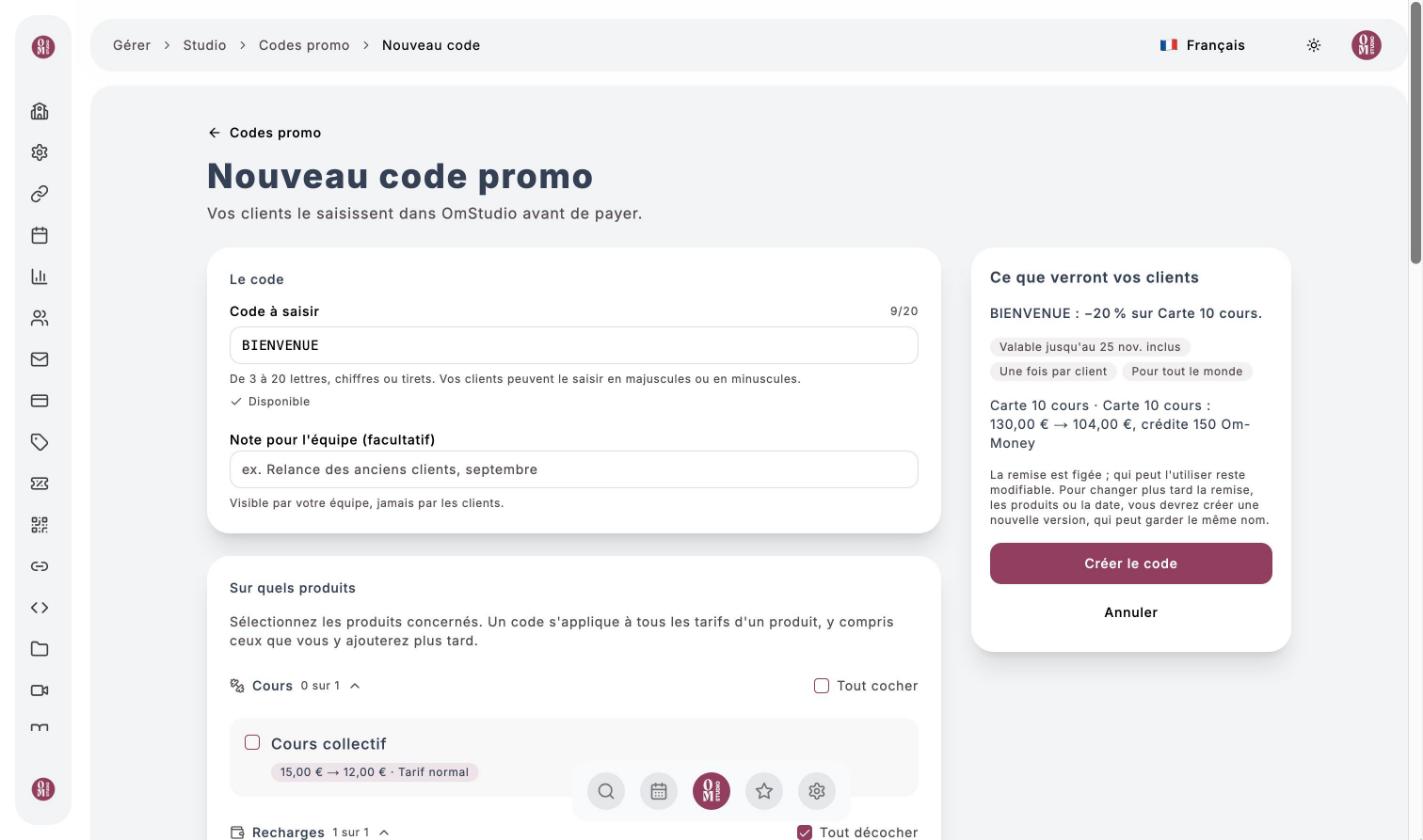
A code’s discount is fixed. To change the discount, the products or the date, create a new version (it can keep the same name). Who can use it can be changed at any time.
Share and track a code
A code’s page offers Copy code, a direct link that opens your offers with the code already filled in, and a ready-to-send message. It also shows the number of uses, the total discounts given and the history. Duplicate creates a code with the same settings; Disable stops it immediately.
On your clients’ side, the code is entered with Add a promo code on the offer: see Pay for a class.