Manage a class
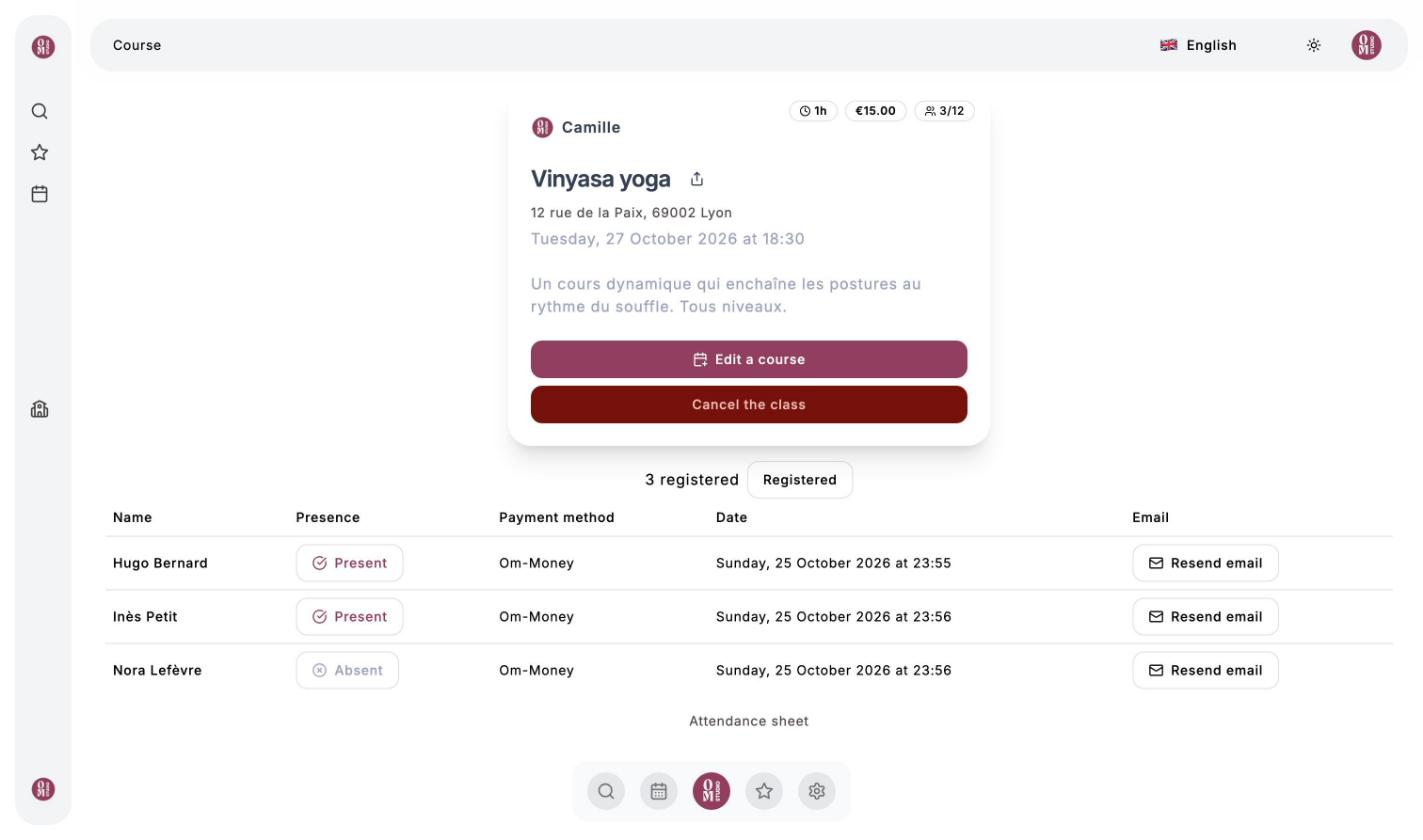
In your studio’s calendar, each class card shows the number of people registered out of the capacity (for example 3/12). Click Display information to open the class page.
The attendance sheet
The class page lists the registered clients with their payment method (card or Om-Money) and their booking date.
- Click Absent to switch a client to Present (and back). Taking attendance is optional: it feeds your statistics and your clients’ history.
- Resend email sends the client their confirmation email again.
- The Registered button switches to the list of Cancelled bookings.
Your clients book their own spot, from the calendar. If a client pays you in cash, credit their wallet with the amount received: they can then book on their own with Om-Money.
Edit a class
Click Edit a course: you get the creation form again. If you change the date or time, registered clients are notified of the new time by email.
Cancel a class
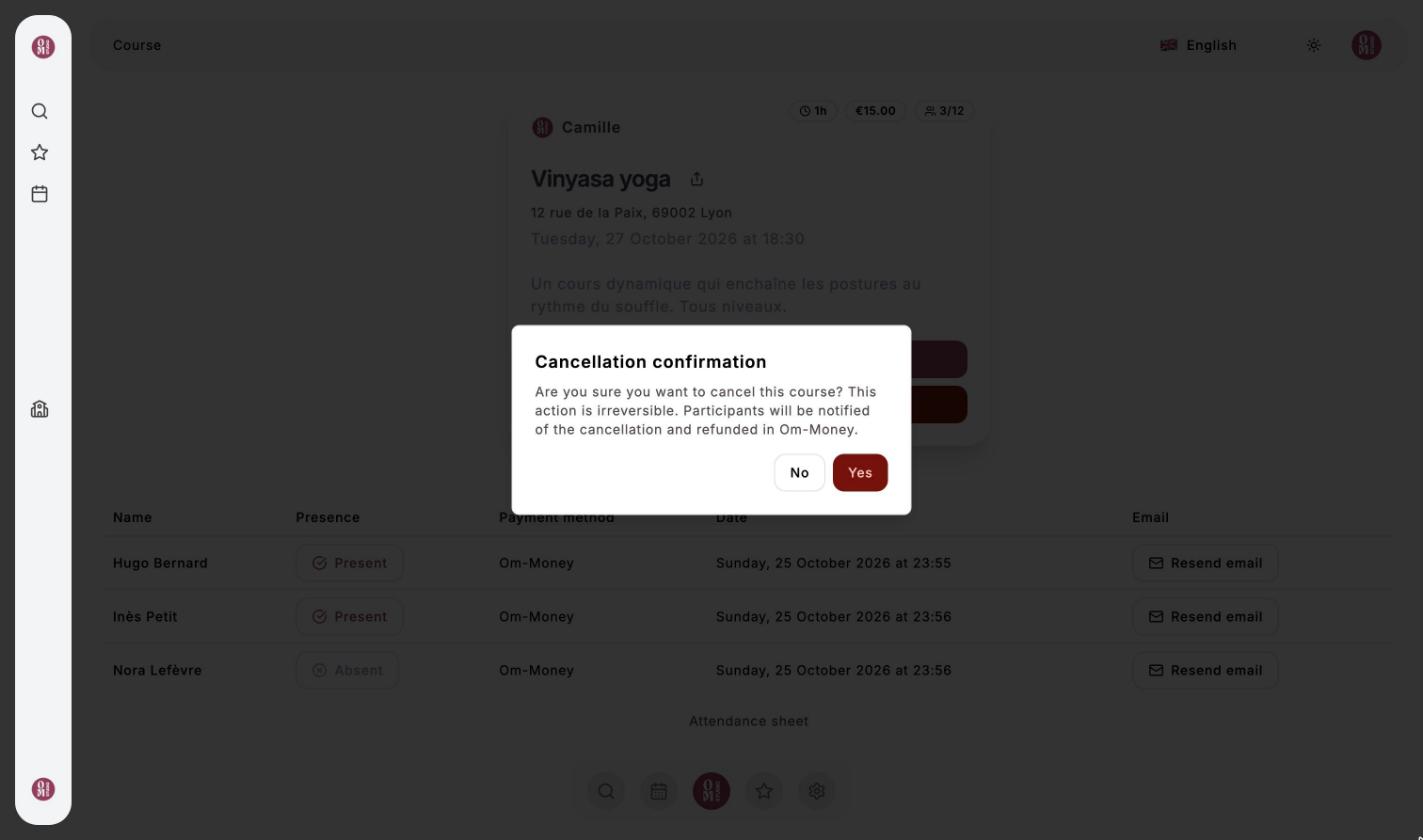
Click Cancel the class, then confirm. Participants are notified by email and refunded in Om-Money. This action cannot be undone.
Video
Last updated on