Analytics
Analytics menu. Track attendance, fill rate and revenue for your classes, without counting anything by hand.
At the top, choose the period and the instructor (or all of them). The indicators update:
| Indicator | What it measures |
|---|---|
| Total courses | The classes held during the period |
| Registrations | Active bookings |
| Attendance rate | People present compared with people registered (based on your attendance sheet) |
| Fill rate | People registered compared with class capacity |
| Est. revenue | Calculated from registrations |
| Cancellation rate | Cancellations compared with total registrations |
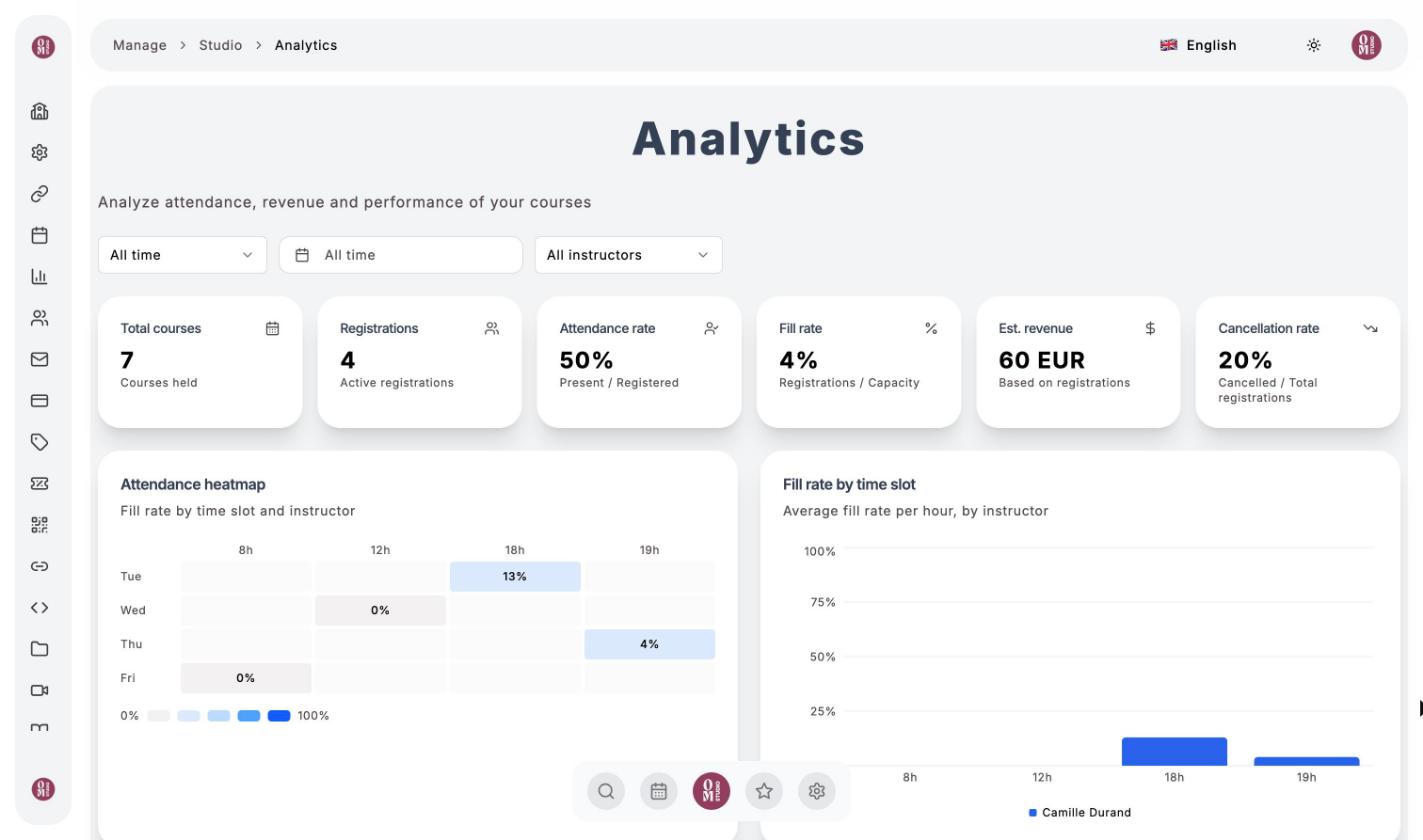
Below them, charts help you adjust your schedule:
- the Attendance heatmap, by day and time slot;
- the fill rate by time slot and by instructor;
- weekly trends in registrations and fill rate;
- the cancellation rate by instructor;
- revenue by time slot and the ranking of your classes.
Last updated on